
Website Security Essentials for Small Businesses
Five website security essentials for small businesses in Dubai, the UAE, and Sri Lanka: HTTPS, updates, backups, access control, and monitoring.

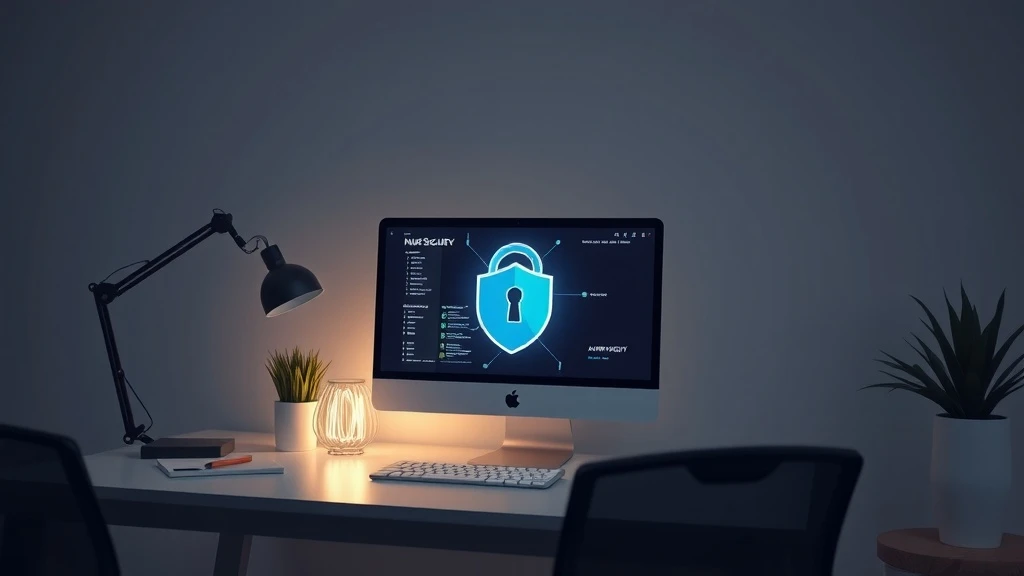
Website security for small businesses comes down to five essentials: serving your site over HTTPS with an SSL certificate, keeping every piece of software updated, maintaining regular backups, controlling who has access to your admin area, and monitoring your site for early signs of trouble. Automated attacks target websites of every size—not just famous brands—so a business site in Dubai, the wider UAE, or Sri Lanka needs the same baseline protection as any large company. The good news: each essential is straightforward and inexpensive once you understand it. This guide explains what to do and why.
Why does website security matter for small businesses?
It matters because most attacks are automated and indiscriminate. Bots scan the internet continuously for known weaknesses—outdated plugins, weak passwords, missing patches—and compromise whatever they find, regardless of company size. Industry guidance from security organisations repeatedly makes this point: small sites are not "too small to be noticed"; they are simply easier targets.
The consequences go beyond the site itself. A hacked website can be defaced, filled with spam links, or used to attack your visitors, and browsers and search engines may flag or blacklist it. For a small business, that means lost enquiries, lost sales during downtime, damaged credibility with customers, and potentially serious costs to clean up. In competitive markets like Dubai and Colombo, where customers often compare several providers online before contacting anyone, a "Not secure" warning on your homepage can quietly end the conversation.
What is SSL, and does your website need HTTPS?
Yes—every business website should use HTTPS, and HTTPS requires an SSL/TLS certificate. The certificate enables encryption between a visitor's browser and your server, so contact form details, login credentials, and any payment information cannot be read as they travel across the network.
- Visitor trust: modern browsers display a padlock for HTTPS sites and mark plain HTTP sites as "Not secure", which deters visitors from submitting forms or buying.
- Cost: an SSL certificate does not have to be expensive. Free certificates from services like Let's Encrypt are widely supported by hosting providers, while paid certificates from certificate authorities offer extended validation and support.
- Implementation: after installing a certificate, redirect all HTTP traffic to HTTPS and fix "mixed content" warnings, which happen when images or scripts still load over HTTP.
If your site collects any information at all—even a simple "request a quote" form—HTTPS is not optional.
How often should you update your website software?
Update as soon as releases become available, ideally within days. A large share of compromised websites are compromised through known vulnerabilities that already had a fix published; attackers rely on site owners delaying updates.
Your update list should cover more than the visible site. Keep the content management system (WordPress, Joomla, or whichever platform you use), all plugins, all themes, and the underlying PHP or server environment current. Before updating a live business site, take a backup so you can roll back if an update breaks something, and remove plugins and themes you no longer use—inactive software still carries risk. If nobody on your team can manage this reliably, a maintenance plan from your web provider is usually far cheaper than recovering from a hack.
Why are backups essential, and how often should you take them?
Backups are your safety net: if your site is hacked, corrupted, or accidentally broken by an update, a clean backup is often the difference between restoring your website in an hour and rebuilding it from scratch.
How often to back up depends on how often the site changes:
- Daily: e-commerce stores, booking sites, and blogs that publish regularly.
- Weekly: brochure-style business sites that change occasionally.
- Before every change: always take a backup before updating plugins, redesigning pages, or migrating hosting.
Follow the classic 3-2-1 principle recommended across the industry: keep at least three copies of your data, on two different types of storage, with one copy stored off-site (for example, cloud storage separate from your hosting server). And test a restore occasionally—a backup you have never restored is a backup you cannot fully trust.
How do you control who has access to your website?
Give each person their own account with the fewest privileges they need, and protect those accounts properly. Shared logins make it impossible to know who did what, and forgotten accounts left active after staff or agencies move on are a common way attackers get in.
- Strong, unique passwords: never reuse passwords from email or social accounts; use a password manager.
- Two-factor authentication (2FA): enable it for your CMS, hosting panel, and domain registrar wherever it is offered.
- Role-based access: editors do not need administrator rights; assign the lowest role that lets each person work.
- Offboarding: remove accounts immediately when a staff member leaves or you change agencies.
The same discipline applies to hosting panel and FTP credentials, which attackers target just as heavily as admin logins.
How do you monitor your website for problems?
Monitoring means checking regularly instead of assuming everything is fine—problems caught early are smaller and cheaper. Practical monitoring for a small business site includes:
- Uptime checks: a free monitoring service can alert you within minutes if your site goes offline.
- Search Console: Google Search Console reports security issues, manual actions, and indexing problems directly to verified site owners.
- Malware scanning: use your host's scanner or a reputable security plugin to scan files on a schedule.
- Functional checks: test your contact form, checkout, and enquiry email delivery monthly—silently broken forms lose enquiries you never hear about.
Review warnings quickly. If your site is ever flagged or behaves oddly, act the same day.
What should a small business do first?
If you do only five things this week, make them these:
- Confirm HTTPS on every page, with redirects from HTTP.
- Update your CMS, plugins, and themes, and remove unused ones.
- Set up backups on a schedule, stored off-site, and test one restore.
- Audit access: unique accounts, 2FA enabled, old logins removed.
- Switch on monitoring: uptime alerts, Search Console, and malware scans.
None of this requires a large budget—only consistency. If you would rather have a specialist review your setup or handle it for you, [Webnet's web services team](https://webnet.lk/services) works with businesses across Sri Lanka and the Gulf, and you can [get in touch](https://webnet.lk/contact-us) for an assessment of your current site.
Frequently asked questions
How much does an SSL certificate cost?
Many hosting providers include SSL free of charge, and free certificates from Let's Encrypt are widely available and trusted by browsers. Paid certificates from certificate authorities typically add organisation validation, longer validity periods, and support.
How often should a small business website be backed up?
Back up daily if the site changes often, such as an online store or active blog, and at least weekly for mostly static sites. Always back up before updates, and keep at least one copy off-site.
Do I need a security expert to protect a small website?
No. HTTPS, updates, backups, access control, and basic monitoring can be managed by a non-specialist or a web host. An expert is worthwhile for complex or e-commerce sites, or after an incident.
What is the most common cause of small website hacks?
Industry guidance consistently points to outdated software with known vulnerabilities and weak or reused passwords. Keeping everything updated and using unique passwords with two-factor authentication addresses both leading causes.
Related services
Want this done for you?
Webnet implements everything in this article — and keeps it working, month after month.
E-commerce SEO: How to Get More Product Page Traffic
Product schema, category structure, internal linking, and content that converts. This guide explains what matters, how to approach it, and…
17 Nov 2026How to Plan a Website Redesign Without Losing SEO
Redesigning Your Website Without Losing SEO Planning to redesign your website? That's a smart move. A fresh design can improve…
16 Nov 2026WordPress vs Custom Development: Which Is Right for Your Business?
WordPress vs Custom Development: Which Should You Choose? You need a business website and face a common question: should you…
16 Nov 2026